Gemini for Google Workspace
Overview
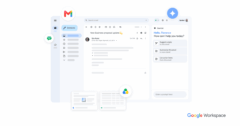
Google Gemini for Google Workspace integrates Google’s advanced AI capabilities directly into familiar Workspace applications like Gmail, Docs, Sheets, and Slides. This powerful AI assistant is designed to enhance productivity across a wide range of tasks, from drafting emails and summarizing documents to generating presentations and analyzing data. For physicians, Gemini can streamline administrative burdens, allowing more focus on patient care.
In a healthcare context, Gemini can assist physicians by automating routine communication, such as drafting patient follow-up emails or summarizing lengthy clinical notes. Its ability to analyze data in Sheets can help in understanding practice metrics or research data more efficiently. Furthermore, Gemini can generate initial drafts of educational materials for patients or internal reports, significantly reducing the time spent on documentation and administrative overhead.
Google Workspace, including Gemini, operates under Google’s robust security and compliance framework. Google offers a Business Associate Addendum (BAA) for Google Workspace, which is essential for healthcare organizations handling Protected Health Information (PHI) under HIPAA regulations. This commitment to compliance makes Gemini for Google Workspace a viable tool for physicians seeking to leverage AI while maintaining data security and regulatory adherence.
The tool is continuously evolving, with Google regularly adding new features and integrations. Its general-purpose nature means it can adapt to various physician workflows, from solo practitioners to large health systems, providing an intelligent layer over existing productivity tools. Physicians can utilize Gemini to transform how they manage information, communicate, and analyze data within their practice, ultimately improving efficiency and patient engagement.
Reviewed by Pouyan Golshani, MD — Interventional Radiologist
Key Features
- AI-powered writing assistance in Gmail and Docs
- Document and email summarization
- Data analysis and insights in Sheets
- Presentation generation in Slides
- Meeting summarization in Google Meet
- Image generation from text prompts
- Contextual assistance across Workspace apps
- Drafting patient communications
- Automated report generation
- Research synthesis
Use Cases
- Drafting patient emails and follow-ups
- Summarizing medical literature or long patient notes
- Analyzing practice operational data in spreadsheets
- Generating initial drafts of patient education materials
- Creating presentations for medical conferences or internal training
- Automating administrative tasks like scheduling reminders
What Physicians Need to Know
Physicians should be aware that while Gemini for Google Workspace is HIPAA compliant when a Business Associate Agreement (BAA) is in place and properly configured, it is primarily designed for general productivity tasks. It is not specifically tailored for clinical documentation or PHI-heavy tasks, and dedicated AI tools designed for healthcare are recommended for such purposes. For any medical applications, a 'human-in-the-loop' approach is strongly advised to ensure accuracy and address clinical nuances and potential biases. It can be highly effective for non-clinical administrative tasks, email drafting, and summarizing to reduce administrative burden.
Gemini is integrated natively across core Google Workspace applications including Gmail, Docs, Sheets, Slides, Drive, Meet, Chat, and Vids. It can also be grounded in business data from various systems, including Google Workspace, Microsoft 365, ERP, and CRM systems. For healthcare-specific data management and advanced AI capabilities, Gemini Enterprise Agent Platform can integrate with the Google Cloud Healthcare API, which supports industry-standard formats like FHIR, HL7v2, and DICOM, enabling robust data ingestion, transformation, and analysis.
Details
| Category | Documentation & Scribing, General Productivity (AI Assistants), Practice Analytics & BI |
| Pricing |
Integrated into google workspace plans, with an associated price increase. for example, business standard is now $14/user/month (which includes gemini).
|
| Free Trial | Unknown |
| Deployment | Cloud |
| Mobile App | Yes, the Gemini app is available on mobile. |
| API Available | Unknown |
| Data Export | Unknown |
| Languages | Gemini in the Google Workspace side panel supports English, Arabic, Chinese (Simplified and Traditional), Czech, Danish, Dutch, Finnish, Hebrew, Hungarian, Norwegian, Polish, Romanian, Russian, Swedish, Thai, Turkish, Ukrainian, Vietnamese, French, German, Italian, Japanese, Korean, Portuguese, and Spanish. Drafting emails with Gemini in Gmail supports English, French, German, Italian, Japanese, Korean, Portuguese, and Spanish. Gemini in the side panel of Slides and Chat is currently only available in English. The standalone Gemini app (gemini.google.com) supports over 40 languages. Google Workspace Studio supports English, French, German, Italian, Japanese, Korean, Portuguese, and Spanish. |
| Training | Unknown |
| Target Size | Small teams to large enterprises, with Gemini Enterprise app designed for 1-300 seats. |
| Compliance | |
| BAA Available | Unknown AI-estimated |
| HIPAA Compliant | Unknown AI-estimated |
| FDA Status | Not applicable AI-estimated — unknown |
| SOC 2 | Unknown AI-estimated |
| GDPR | Unknown AI-estimated |
| Integrations | |
| EHR | Not specified |
| Specialties | All Specialties |
Social Proof
| Customers | More than 100,000 organizations are already empowering their employees with Gemini for Google Workspace. |
| Notable | RandstadDevoteamNatura. |
Support & Reliability
| Training Provided | Unknown |
What the Web Says
Gemini for Google Workspace is generally viewed as a powerful AI tool, particularly for users deeply integrated into the Google ecosystem. It excels at streamlining daily workflows by offering in-context AI assistance across applications like Gmail, Docs, and Sheets. While praised for its productivity enhancements and ease of use, some users express concerns about its accuracy in complex tasks, occasional hallucinations, and limitations in certain advanced functionalities.
Overall: MixedStrengths
- Deep integration with Google Workspace apps (Gmail, Docs, Sheets, Drive, Meet, Calendar)
- Streamlines daily workflows and automates repetitive tasks, leading to significant productivity gains
- Excellent for summarizing long documents, emails, and generating drafts
- Strong real-time search capabilities with citations
- HIPAA compliant for enterprise Google Workspace accounts with a signed Business Associate Agreement (BAA) and proper configuration
- Intuitive interface and low learning curve, making it accessible for various users
Limitations
- Can make logical errors, lose context in long conversations, and occasionally hallucinate
- Limited flexibility and customization options for advanced users compared to competitors like ChatGPT
- Inconsistent reliability for complex or high-stakes tasks, sometimes providing generic or inaccurate responses
- Lack of ability to export threads to Google Docs or delete messages one by one in the Workspace UI, raising privacy and compliance concerns
- Struggles with certain applications like Google Sheets for complex, unstructured data, and image generation can be inaccurate
- Pricing can be a concern for smaller teams or those not fully utilizing the Workspace integration
Based on reviews from: G2.com, Reddit, Capterra, ITPro, Talent Surge Blog, Hack'celeration, Google Workspace Blog, AI Health Uncut, BastionGPT, Google Cloud for healthcare, Google Workspace Learning Center, OneWave AI Blog, TrustRadius, Multilogin, Primeforge, YouTube (AI for Google Workspace [Full Review])
Last updated: 2026-08-21
Ratings & Reviews
No reviews yet. Be the first to review this tool!
Rate Gemini for Google Workspace
Press & Coverage
Videos
Product demos, reviews, and walkthroughs for Gemini for Google Workspace.
Wursta Webinar: Discover Gemini for Google Workspace
Frequently Asked Questions





Investors who backed Gemini for Google Workspace
Funded through the company that built this tool.

